The Tapo C402 review is for households that want outdoor camera coverage without running power cables to the installation spot.
Its solar panel, person and motion alerts, and local storage option suit buyers who want flexible placement and control over how footage is stored.
Tapo SolarCam Review Summary
The quick verdict
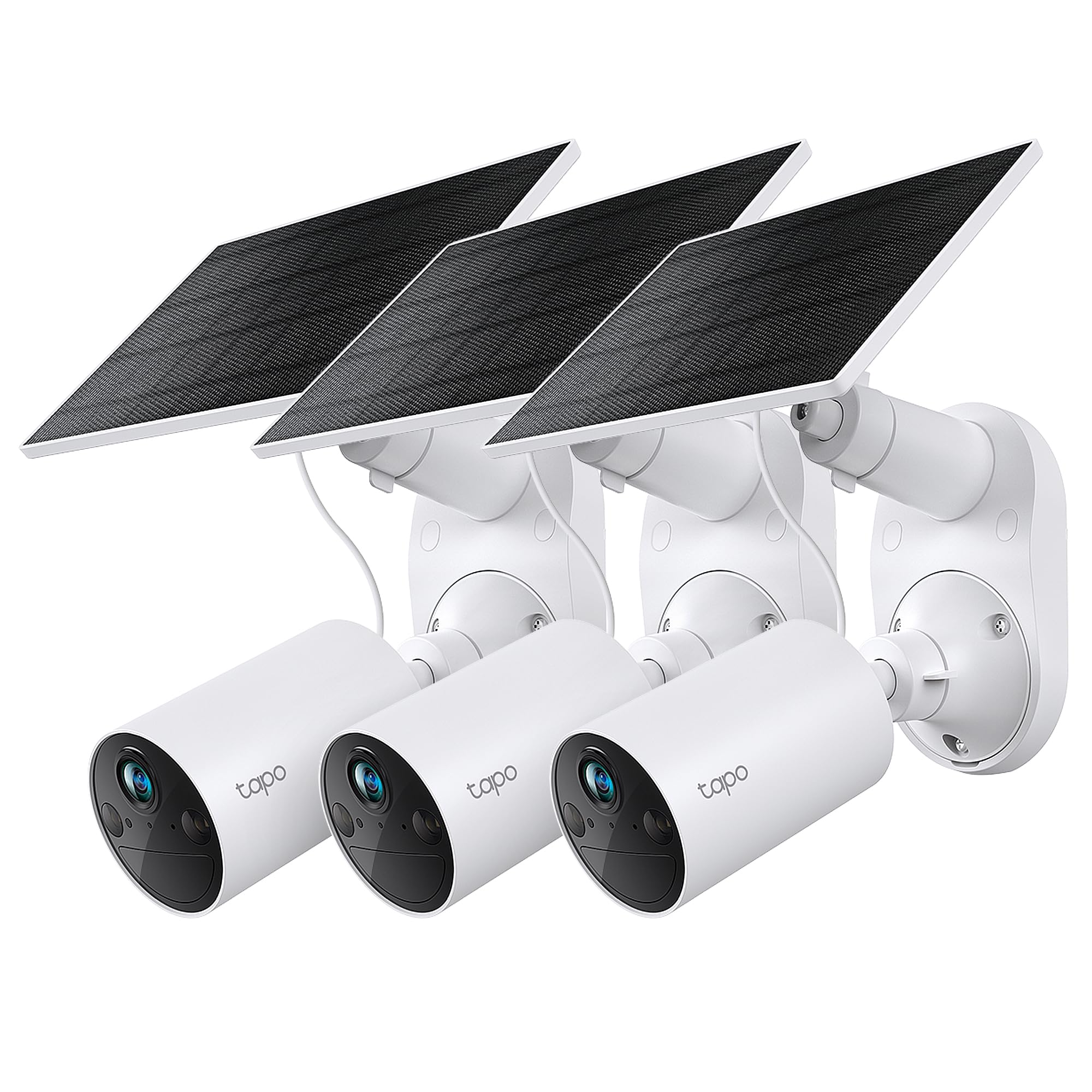
5,000+ ratings
Read Amazon ReviewsTapo SolarCam C402 Kit
A practical fit for households seeking wire-free outdoor monitoring, solar charging, person alerts, and local video storage without a required cloud plan.
- 1080p live view with color night vision from built-in spotlights, specified for visibility up to 30 feet.
- Solar panel charges the built-in battery; the stated reserve during cloudy periods is up to 180 days, with real-world charging depending on conditions and use.
- Wire-free mounting allows placement away from outlets. Install the panel and camera together or use the included 13-foot cable to separate them.
- Free person and motion detection, with activity zones to focus monitoring and alerts.

Pros
- Solar charging and a built-in battery allow placement where a power outlet is not convenient.
- The separable panel gives more flexibility to balance camera framing and sunlight exposure.
Consider before buying
- Solar charging depends on sunlight and the camera’s activity; the stated charging and reserve figures are conditional rather than guarantees for every installation.
- The camera and panel need a suitable mounting position, and the charging temperature range is narrower than the operating range.
Read the full review summary
The C402 Kit combines a battery-powered 1080p camera with a modular solar panel, allowing the two parts to be mounted together or connected by a 13-foot cable.
That arrangement can help when the camera needs a view of an entryway but the panel needs a sunnier position.
The product description gives a battery reserve of up to 180 days during cloudy stretches, while noting that actual charging needs depend on sunlight and use.
Free person and motion detection, configurable activity zones, color night vision, and microSD storage give the system a useful feature set without making a cloud subscription central to its operation.
It makes the most sense for someone who can place the panel where it receives sunlight and wants straightforward monitoring around a home, garage, or shed.
The kit’s wireless design still depends on practical placement: check the camera’s network connection and the panel’s sunlight before settling on a mounting location.
The buying factors
Tapo SolarCam Scorecard
Editorial scores reflect listed features and buyer fit; they are not laboratory measurements or customer ratings.
Installation flexibility
The camera and panel can be installed as one unit or separated with the included 13-foot cable, and the battery design avoids a nearby power outlet.
Power convenience
Solar charging can reduce routine recharging, with up to 180 days of battery reserve described for periods with less sunlight; actual results depend on conditions and activity.
Video and night viewing
1080p live view and color night vision with built-in spotlights offer a useful combination, with color night vision specified up to 30 feet.
Alert customization
Free person and motion detection plus activity zones can help focus notifications on the areas that matter.
Storage flexibility
Footage can be saved to a microSD card up to 512GB or to Tapo Care cloud service, giving buyers a local-storage path.
Privacy controls
The product description includes encrypted video and two-factor authentication, features relevant to buyers considering a connected camera.
Key Features and Specifications of Tapo SolarCam
- 1080p live view with color night vision from built-in spotlights, specified for visibility up to 30 feet.
- Solar panel charges the built-in battery; the stated reserve during cloudy periods is up to 180 days, with real-world charging depending on conditions and use.
- Wire-free mounting allows placement away from outlets. Install the panel and camera together or use the included 13-foot cable to separate them.
- Free person and motion detection, with activity zones to focus monitoring and alerts.
- Local microSD storage supports cards up to 512GB; Tapo Care cloud storage is also available by subscription.
- Encrypted video and two-factor authentication are included as privacy features.
- Operating temperature range is -4°F to 113°F; charging range is 32°F to 113°F.
Pros and Cons of Tapo SolarCam
Pros
- Solar charging and a built-in battery allow placement where a power outlet is not convenient.
- The separable panel gives more flexibility to balance camera framing and sunlight exposure.
- Person and motion detection and activity zones are available without a required subscription.
- Local microSD storage provides an alternative to cloud storage.
- Color night vision and built-in spotlights extend the camera’s usefulness after dark.
Consider before buying
- Solar charging depends on sunlight and the camera’s activity; the stated charging and reserve figures are conditional rather than guarantees for every installation.
- The camera and panel need a suitable mounting position, and the charging temperature range is narrower than the operating range.
- Cloud storage uses a Tapo Care subscription, so buyers who prefer cloud access should account for that service choice.
Who Should Buy Tapo SolarCam?
Good fit
Consider the C402 Kit if you want an outdoor camera in a place without convenient outlet access and can position its panel for meaningful sunlight.
The option to separate the panel from the camera by 13 feet is especially useful when the best view and the brightest spot are not the same place.
Before mounting, check both the camera’s Wi-Fi connection at the intended location and the panel’s exposure across the day.
It also suits buyers who want person and motion alerts, with activity zones to limit attention to relevant areas.
For a subscription-free storage approach, the microSD option can keep footage local; buyers who want cloud storage can choose Tapo Care.
Think about the storage method that fits your routine before installation, since it affects how you will access and retain clips.
The stated battery reserve can be reassuring for cloudy periods, but the product ties solar performance to environmental conditions and activity.
Treat that figure as an upper limit and consider whether your mounting location receives enough light for your climate and usage.
Who should skip it
Skip this model if your preferred camera location has little access to sunlight and you cannot periodically manage battery charging. The solar design is most compelling when the panel can receive dependable exposure.
Look elsewhere if you need a system whose key capabilities do not depend on a wireless network, or if you have a specific recording or integration requirement not covered by the product details.
Confirm those needs before choosing a camera.
What the Tapo SolarCam Adds to Outdoor Monitoring
Panel placement can shape the installation
A solar camera works best when the panel’s position is considered alongside the camera’s viewing angle.
The included 13-foot cable allows separate mounting, so you can try to find a practical camera view while keeping the panel in a brighter location.
Check the route and mounting surfaces before drilling, and confirm the camera remains connected to your network from its final position.
Battery claims depend on conditions
The C402’s solar charging and battery reserve are intended to reduce frequent charging attention.
The description qualifies the 45-minute sunlight charging figure and up-to-180-day reserve by environmental conditions and usage, so these figures should guide expectations rather than promise a fixed schedule.
A shaded porch or high activity level may change how often the battery needs attention.
Choose storage before you mount
A microSD card up to 512GB offers a local storage route, while Tapo Care provides a cloud option.
These approaches serve different preferences: local storage avoids making cloud service the only path, while cloud storage requires choosing the subscription. Decide which method you intend to use and confirm the setup fits your recording habits.
Alerts and nighttime coverage
Person and motion detection can reduce the number of irrelevant notifications, while activity zones let you prioritize selected parts of the view. At night, built-in spotlights support color vision up to 30 feet according to the product specifications.
Consider whether the camera’s placement covers the area you care about and whether lighting from the spotlights suits the setting.
Alternatives to Tapo SolarCam
No alternative model is recommended here. Compare the design and features that matter to your routine before choosing another option.
Is Tapo SolarCam Worth It?
The Tapo SolarCam C402 Kit is worth considering if you want flexible, wire-free outdoor monitoring with solar charging, person alerts, color night vision, and a local storage option.
Its separable panel and camera make placement more adaptable, and a cloud subscription is not required to use microSD storage.
Buy it when you can give the solar panel reasonable exposure and have confirmed the wireless connection at your intended location.
Keep expectations for battery life tied to sunlight and activity, and choose local or cloud storage according to how you want to manage footage.
Your review at a glance
5,000+ ratings
Read Amazon ReviewsTapo SolarCam C402 Kit
A practical fit for households seeking wire-free outdoor monitoring, solar charging, person alerts, and local video storage without a required cloud plan.
- 1080p live view with color night vision from built-in spotlights, specified for visibility up to 30 feet.
- Solar panel charges the built-in battery; the stated reserve during cloudy periods is up to 180 days, with real-world charging depending on conditions and use.
- Wire-free mounting allows placement away from outlets. Install the panel and camera together or use the included 13-foot cable to separate them.
- Free person and motion detection, with activity zones to focus monitoring and alerts.